Password-Based Authentication
Password - An Insecure Authentication Factor

What is Authentication?
Authentication is a security process for validating the identity of a user, service, or device. It is a means of determining if a user, service, or device is indeed who or what it claims to be. Username and password are the most frequently used form of authentication. Authentication is a means of preventing unauthorized users from accessing certain resources, but what happens when an unauthorized user obtains the credentials for authenticating to the resources?
Password-based authentication is the most used authentication method because of its usability. It is also the least secure method of authentication because users' passwords can easily be gotten by an attacker. This is possible either by leveraging users' poor password management or through other password attacks.
Passwords can provide a relatively high level of security when properly constructed and implemented. Such passwords are called strong (complex) passwords.
Attributes of a Strong Password
Length - The password must be at least eight characters long.
Complexity - It must contain at least one uppercase letter, one lowercase letter, one digit, and one special character.
Uniqueness - The password must be used in only one account. It must not be used across different accounts.
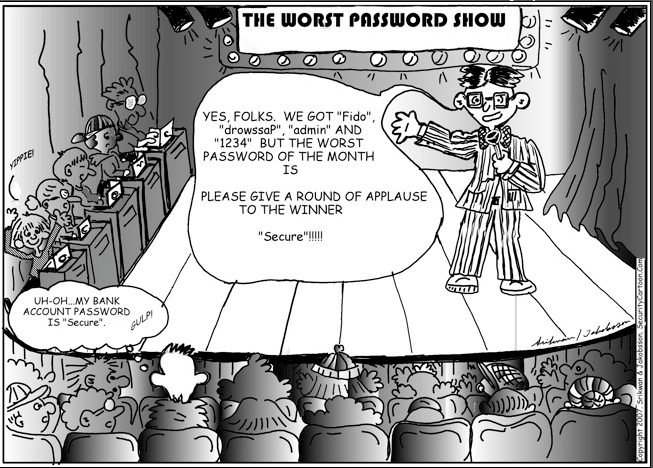
As a result of the cognitive burden a strong password pose, end users settle for weak passwords (for example, "their birthday", "their first name", "password", "admin", "1234" and so on) and practice poor password hygiene such as using one password for more than one account, using default passwords, writing down their passwords. This makes it easier for attackers to obtain end users' passwords.
Password Attacks
Password stealing: In this attack, passwords are gotten directly using malware such as a keylogger, social engineering example phishing, and shoulder surfing. The strength of a password does not matter in this kind of attack.
Online password attack: The attacker tries to log into the victim's account by guessing different passwords with the hope of guessing rightly. Here, the strength of the password will determine how long it will take the attacker to crack the password. Examples of such attacks are brute force attacks and dictionary attacks.
Offline password attack: An attacker may obtain the password database of a website. If the passwords contained in the database are not encrypted or the encryption used is reversible, it will take an attacker little effort to obtain or decrypt the password regardless of the strength of the passwords in that database. But if the passwords are encrypted with one-way hashes, the attacker may need much effort depending on the strength of the passwords to decrypt them.
Passwords alone are not enough to protect any resource of high value. Extra layers of security should be used in addition to a password to secure high-value resources. This is known as multi-factor authentication.
Multi-Factor Authentication (MFA)
This is a method of authentication in which a user is required to provide two or more verification factors before access to a resource is granted to the user. When only two factors are used it is known as two-factor authentication. MFA reduces the possibility of a successful password attack. The various authentication factors include,
Something you know - For example, password, PIN, or passphrase.
Something you have - For example, a security token (software or hardware token).
Something you are - For example, biometrics (fingerprint).
Something you do - This is based on a user's behaviour. For example, an analysis of a user's handwriting, and typing speed.
Where you are - This is a geographical-based authentication factor.
The use of two or more of these factors is a more secure means of protecting a resource than using just passwords.
Other Recommendations
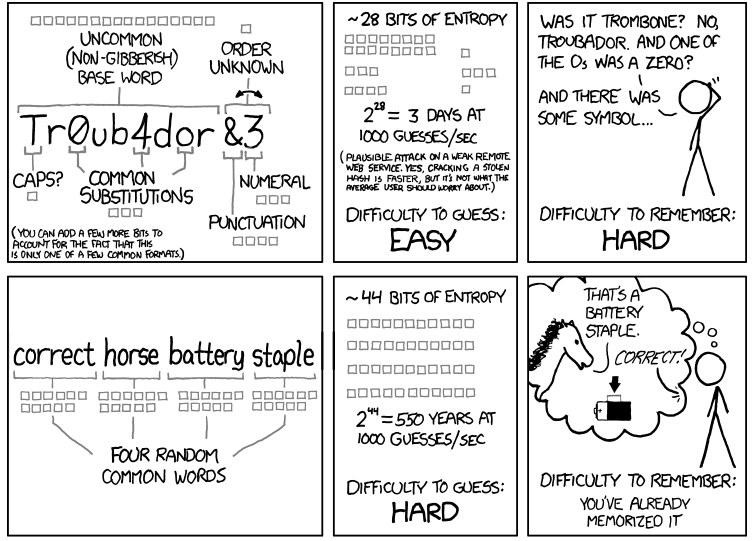
Use passphrase instead of password: A passphrase is a combination of three or more random words. A passphrase is a stronger authentication factor than a complex password because, in terms of password strength, length surpasses complexity, that is a lengthy password will be harder to crack than a complex one. Passphrases are usually longer than passwords and are easily remembered by the user but hard to guess by an attacker.
 Use password managers: It has been found that password managers can be used to prevent phishing. Password managers that fill in login credentials can prevent phishing because they cannot be tricked into inputting a legitimate password in the wrong website. The mechanism used to spoof humans can not be used to spoof password managers. Password managers also reduce the burden of memorizing many passwords by storing the passwords and making them available when needed. A user is required to create and memorize only one password which is the password for the password manager. Some password managers also help generate strong passwords.
Image Credit


